
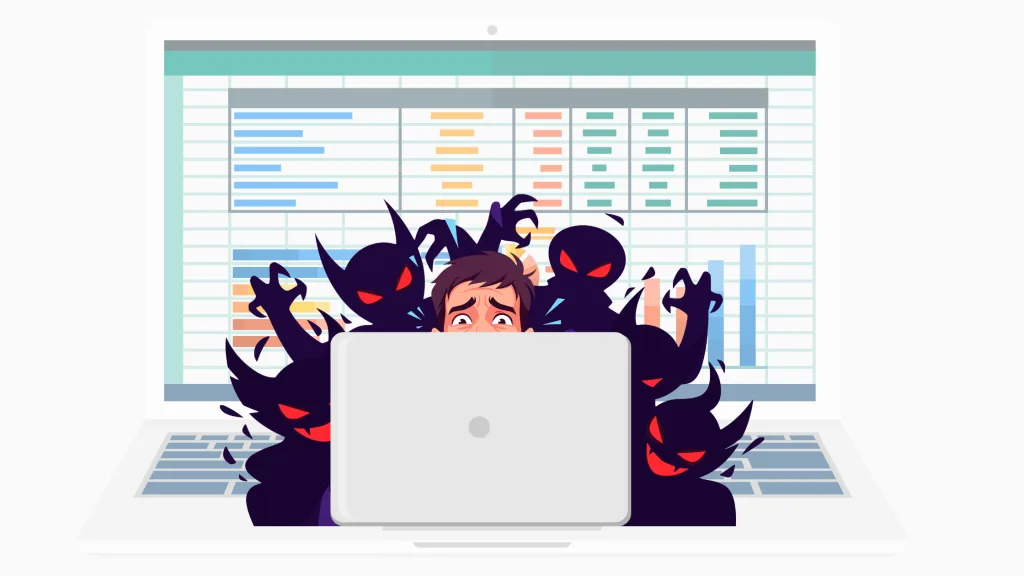
Stranger Things is back, which means everyone is talking about monsters, portals, and things lurking where they should not be. In the business world, the closest thing we have to an Upside Down is the shadow spreadsheet. It grows without permission, duplicates without warning, and creates a parallel version of your data that no one can fully control.
Once that happens, you have a shadow spreadsheet. And shadow spreadsheets are everywhere.
They are not inherently bad. In fact, most of them work remarkably well. The issue is that they evolve into critical tools without structure, ownership, or controls. That is when risk creeps in, usually in ways no one sees coming.
Here is how to tell if your company has shadow spreadsheets, the risks they create, and real examples of what can go wrong.
Signs You May Have Shadow Spreadsheets
These are some of the clearest indicators that a spreadsheet has crossed the line from “quick helper” to “unofficial system.”
Someone on your team is the only person who knows how it works
If the logic lives in one person’s head or inside formulas that no one else understands, the spreadsheet is already a hidden point of failure.
You keep stumbling across multiple versions of the same file
If variations like “final,” “final2,” or “use this one” exist, it is a sign that copies are spreading and no one is working from a single source of truth.
You rely on emailed attachments to complete a process
When people pass spreadsheets around to gather updates or approvals, the file becomes its own mini application. It also becomes unmanageable.
People hesitate to edit it because they might break something
This usually means the logic has become complex, undocumented, or fragile. All classic signs of a shadow spreadsheet.
New employees inherit key files instead of key systems
When onboarding includes receiving a spreadsheet instead of a governed workflow, you are relying on a shadow app.
You cannot name the clear owner of a critical spreadsheet
If ownership is unclear, risk is already in play.
Why Shadow Spreadsheets Are Risky
The risks associated with shadow spreadsheets often stay hidden until something goes wrong.
One of the biggest risks is version confusion. Once multiple copies exist, there is no single source of truth. Teams may make decisions based on outdated or modified files without realizing it, and even small discrepancies can snowball into larger operational issues.
Another challenge is the loss of institutional knowledge. Many of these spreadsheets were built by individuals who know their structure by heart. When the logic is not documented and only a few people understand how things work, the organization becomes dependent on personal expertise rather than a reliable process.
Security exposure is also common. Spreadsheets travel through email, shared drives, personal folders, and cloud storage. Along the way, sensitive information can end up in places IT never intended or approved.
Audits and compliance become difficult when key workflows depend on tools that leave no trace of who changed what, or when. Without proper oversight, organizations struggle to validate the integrity of their data or demonstrate control over critical processes.
Shadow spreadsheets can also limit scalability. A file that works for one or two people often becomes slow, confusing, or error prone once more users rely on it. At that point, the spreadsheet is doing the work of a system without any of the structure that a system provides.
These issues do not mean spreadsheets are bad tools. They simply show that once a spreadsheet becomes core to a workflow, it needs more governance than most teams realize.
A Better Way to Handle Shadow Spreadsheets
Eliminating spreadsheets is not realistic and the goal is not to replace them but to give them the governance they need once they become central to the business.
SheetConnect allows organizations to keep using their spreadsheets exactly as they are, while adding the oversight that prevents the problems above from happening in the first place. Some of these areas include:
Controlled Access
Administrators can decide who can view, edit, run, or manage specific spreadsheets. This prevents unauthorized changes, keeps sensitive logic protected, and ensures that every user interacts with the tool in a way that aligns with their responsibilities.
Strong Version Control
There is one governed version of each spreadsheet, and it is the only one anyone can use. SheetConnect prevents local saving, which means stray copies cannot appear on desktops or inside email threads. The business always knows which version is in use, and teams never wonder whether they are working from the latest file.
Centralized Data Instead of Scattered Copies
Instead of storing results inside individual spreadsheets, SheetConnect captures all input data in a central database.
This eliminates the problem of lost workbooks, hidden edits, or results trapped in disconnected files. It also makes data review and reporting significantly easier.
Auditability and Traceability
Shadow spreadsheets leave no trail of who changed what, or when. SheetConnect fixes that. Every use of a spreadsheet is logged, and all data flows are visible. This gives organizations a clear understanding of how critical tools are being used and supports internal reviews without extra work for the team.
Compliance Support
Many industries depend on spreadsheets but struggle with compliance because spreadsheets offer very little control on their own. SheetConnect establishes the safeguards needed for regulatory and internal standards. These include regulated access, controlled versions, documented usage, and consistent data handling. Organizations can finally prove how key tools are used and ensure that sensitive logic stays protected.
CRM and System Integrations
Shadow spreadsheets often sit between people and the systems they update, which creates errors and data inconsistencies. SheetConnect allows validated data from spreadsheets to flow into CRMs, databases, and other systems of record in a structured and secure way. This means the spreadsheet stays the calculation engine, but the output becomes part of an end to end governed workflow.
Security and Data Protection
Spreadsheets regularly contain pricing models, financial logic, customer information, or engineering rules. SheetConnect keeps those assets on a secure server and ensures they never leave the controlled environment. Sensitive data stays contained, and IT regains visibility into where workbooks are stored and how they are used.
See SheetConnect in Action
If you want to see how SheetConnect brings structure, security, and control to spreadsheet based workflows without changing the way your team works, you can schedule a walkthrough here: Schedule a demo.